

A dedicated sending IP makes sense once you're pushing consistent, high volume through a mailing list that opens and clicks regularly, or when a partner requires allowlisting, tenant isolation, or compliance separation. If you're sending under a few thousand messages a day, or your volume is irregular, staying on a reputable shared IP is usually the smarter, lower-risk move. Either way, the real work starts with authentication, a proper warm-up, and ongoing monitoring.
TL;DR:
- A dedicated IP is necessary only for high, consistent volume senders who require strict allowlisting, tenant isolation, or compliance separation; most low-volume senders are better off remaining on shared IPs.
- Verifying that your outbound mail truly uses the dedicated IP you paid for is crucial, as misconfigured routing often renders the investment ineffective.
- Proper setup involves configuring SPF, DKIM, DMARC, PTR, and enabling TLS, along with a gradual warm-up over 30 to 40 days to build reputation and avoid filtering issues.
- Regular monitoring of complaint, bounce, and delivery rates, alongside blacklist checks, is essential to maintain the health of a dedicated IP and avoid reputation damage.
- Managed dedicated IP options automate warm-up and scaling, making them suitable for teams without a dedicated deliverability specialist, while self-managed IPs require ongoing oversight.
Table of Contents
- What Is a Dedicated Sending IP, and How Does It Differ From a Website IP?
- Dedicated vs Shared IP: Which Tradeoffs Actually Matter?
- When Should You Actually Get a Dedicated IP?
- Technical Setup and Warm-Up: The Actionable Checklist
- Monitoring and Recovery: Keeping the IP Healthy
- What a Messaging Platform Operator Actually Recommends
- How Notix Helps You Manage Deliverability Without the Ops Headache
- Where to Verify These Best Practices
- Sources
- FAQ
What Is a Dedicated Sending IP, and How Does It Differ From a Website IP?
A dedicated sending IP is an address assigned exclusively to your outbound mail traffic, so your domain's reputation isn't mixed with anyone else's sending behavior. That's different from a dedicated website IP, which only affects how your site is reached over HTTP or HTTPS and has nothing to do with what address your emails leave from. Buying one does not automatically fix the other.
This mix-up trips up more teams than you'd think. A company assumes their "dedicated IP" hosting plan improves email trust, when in reality their mail transfer agent is still routing through a shared relay entirely separate from their web server. The only way to know for sure is to check.
- Open a delivered message and inspect the "Received" headers. The IP listed there is the one that actually sent your mail, not the one on your hosting invoice.
- Cross-check that address against your provider's console or SMTP documentation to confirm it's assigned to you specifically.
- Ask whether the assignment is static and contractually yours, or whether the provider reserves the right to rotate it. Some providers disclose this in the fine print, and it matters if you're building long-term reputation.
Verifying whether outbound mail actually uses the address you paid for is the single most skipped step in this whole process, and it's the one that determines whether everything else you do actually matters.
Dedicated vs Shared IP: Which Tradeoffs Actually Matter?
Shared IP pools work in your favor when your volume is modest, because you're sending alongside other senders who keep the pool warm and reputable. A well-managed shared pool from an established provider often outperforms a poorly maintained dedicated IP, since reputable shared pools tend to serve low-volume senders better than an under-utilized dedicated address.
A dedicated IP isolates one thing: the reputation tied to that specific address. It does not isolate your domain reputation, and it does nothing for your SPF, DKIM, or DMARC posture. Inbox providers weigh domain-level signals heavily, so a dedicated IP without solid authentication underneath it accomplishes very little.
- A dedicated IP protects you from other senders' bad behavior tanking your delivery, but only for IP-based reputation checks.
- It adds operational overhead: you now own the warm-up curve and any reputation dips are entirely yours to fix.
- Cost is usually a fixed per-IP add-on, so it only pays off once your volume justifies the exclusivity.
When Should You Actually Get a Dedicated IP?
Volume is the first filter, but it's not the only one. If you're sending consistently to an engaged, permission-based list at meaningful scale, providers generally recommend dedicated IPs for high, steady-volume senders with clean lists rather than for anyone dabbling in occasional campaigns. Beyond raw volume, a few business signals push the decision even without huge numbers: a partner or bank requires IP allowlisting, you handle regulated data and need sending isolated from other tenants, or you're running transactional volume high enough that a reputation hiccup would be costly.
Before signing anything, ask the provider these questions directly:
- Who controls the PTR (reverse DNS) record, you or them?
- Will all SMTP egress traffic actually route through this specific IP, or only some of it?
- Is the assignment static, or can it change during maintenance or account changes?
- What warm-up support, if any, comes bundled with the IP?
Delay the purchase if your sending is sporadic, your list has high bounce or complaint history, or you don't have anyone who can watch metrics daily during the first month.
Pro Tip: If you're not sure your volume justifies it, wait. A dedicated IP with inconsistent traffic behind it often builds a worse reputation than a shared pool ever would.
Technical Setup and Warm-Up: The Actionable Checklist
Getting a dedicated IP configured correctly takes more than pointing DNS at a new address. Skip any of these steps and inbox providers will treat your mail with more suspicion, not less.
- Set SPF, DKIM, and DMARC. SPF authorizes the IP to send for your domain, DKIM signs the message cryptographically, and DMARC tells receivers what to do when either check fails. Start DMARC at
p=nonefor monitoring, then move toquarantineand eventuallyrejectonce your DMARC alignment is confirmed clean. - Configure forward and reverse DNS (PTR). The PTR record should resolve back to a hostname that matches your sending domain. Mismatched or missing PTR records are a common reason mail gets flagged before it even reaches a spam filter.
- Enable TLS on your SMTP connection. Most major inbox providers now expect encrypted delivery, and its absence can hurt reputation scoring.
- Confirm the real sending IP. Check Received headers on test sends and cross-reference your provider's SMTP egress documentation, since this is the same verification step from setup that catches misconfigured routing before it becomes a reputation problem.
Warm-up is where most dedicated IPs fail. ESP guidance commonly points to a warm-up period spanning roughly 30 to 40 days, starting with your most engaged recipients, those who opened or clicked in the last 30 to 90 days, and increasing volume gradually rather than in a straight line. Send too much too soon and inbox providers throttle or bulk-folder you before you've built any trust.
If you don't have the operational bandwidth for manual ramping, look at managed dedicated IP options. Amazon SES, for example, distinguishes standard dedicated IPs, which require manual warm-up, from managed IPs that automate warm-up and scale automatically. That distinction applies broadly across providers: managed options trade some control for a lot less daily babysitting.
Monitoring and Recovery: Keeping the IP Healthy
A dedicated IP needs regular attention, not a set-it-and-forget-it mindset. Watch complaint rates, bounce rates, and delivery rates weekly at minimum, and lean on tools like Google Postmaster Tools alongside your provider's dashboard for domain and IP reputation signals.
- If complaint rates spike, throttle volume immediately and re-segment toward your most engaged subscribers before resuming normal sends.
- If delivery to a specific provider (Gmail, Outlook, Yahoo) drops sharply, check that provider's postmaster tools first, since issues are often provider-specific rather than global.
- When something looks wrong, pull recent Received headers and check your IP against major blacklists before assuming it's a content problem.
- Keep your list clean. Consistent suppression of hard bounces, spam complaints, and long-term unengaged addresses protects sender reputation more than almost any other single habit.
Pro Tip: Don't wait for a full-blown reputation collapse to check your metrics. A rising complaint rate two days in a row is worth pausing sends for, even if delivery still looks fine on the surface.
What a Messaging Platform Operator Actually Recommends
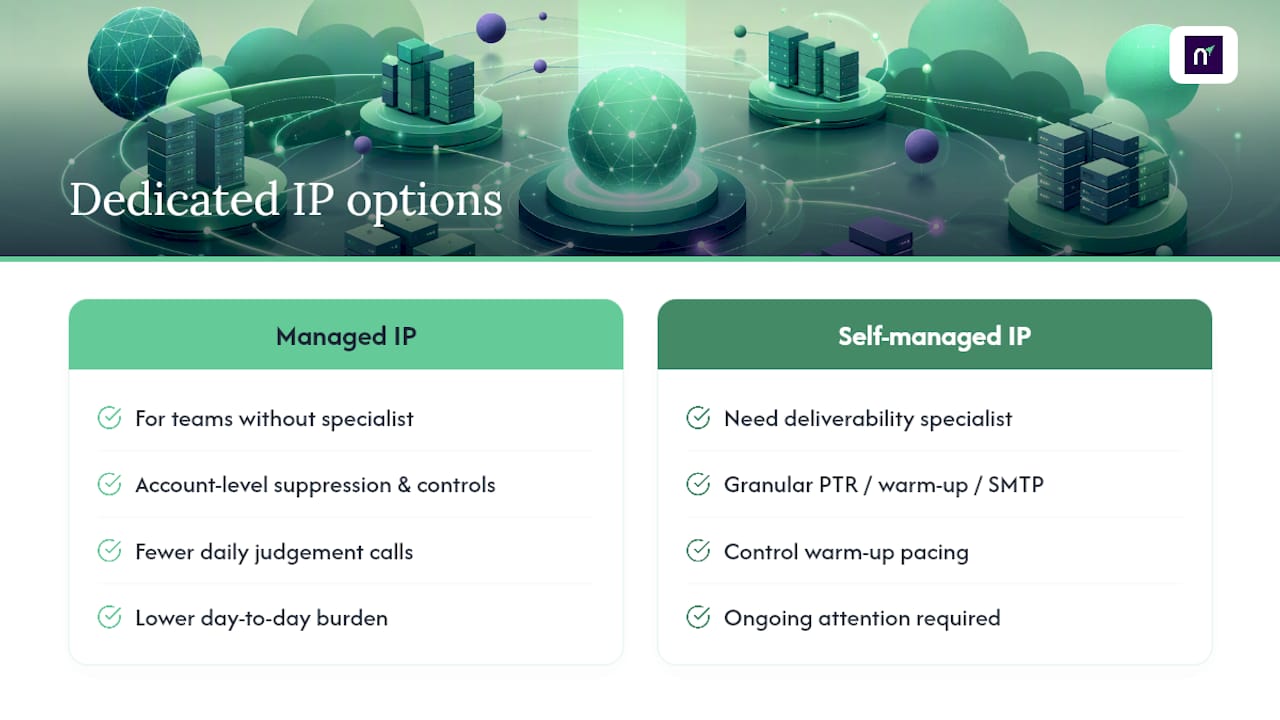
Running a dedicated IP well is mostly a discipline problem, not a technical one. Teams that succeed treat suppression lists, double opt-in enforcement, and engagement segmentation as permanent infrastructure, not a one-time setup task. Platforms that bake these controls in at the account level remove a lot of the daily judgment calls that otherwise fall on whoever owns deliverability.
Provider-managed dedicated IPs make sense for teams without a dedicated deliverability specialist watching metrics every day. Self-managed IPs make sense when you need granular control over PTR records, warm-up pacing, or SMTP routing that a managed pool won't expose. Most teams underestimate how much ongoing attention a self-managed IP demands until reputation actually dips.
— Paul
How Notix Helps You Manage Deliverability Without the Ops Headache
Notix is built for teams who want dedicated sending infrastructure without hiring a full-time deliverability engineer to babysit it. The Email API and SMTP relay give you control over how mail leaves your systems, while double opt-in contact handling and unified suppression management, shared across marketing and transactional sends, do a lot of the reputation protection work automatically instead of leaving it to manual list hygiene.
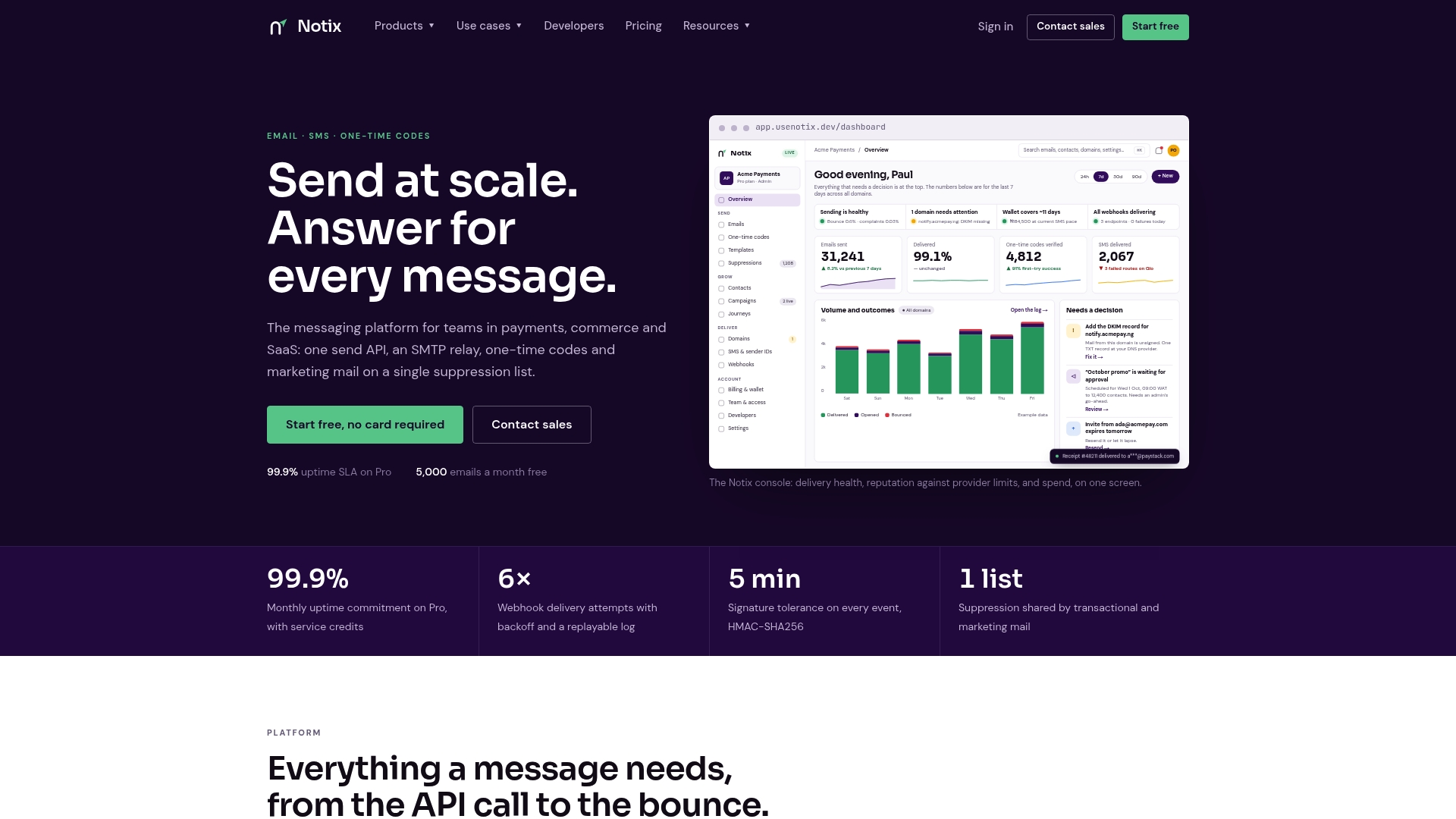
If you're weighing a dedicated IP against staying on shared infrastructure, Notix's separate domain reputation management and one-time code verification tools mean you're not stitching together multiple vendors to cover authentication, sending, and monitoring. Pricing is transparent across the Free, Pro, and Enterprise plans, with Pro starting at $15 per month, so you can scale volume without renegotiating a contract every time your sending grows. Check the pricing page and API docs to see which plan fits your current volume.
Where to Verify These Best Practices
For account-specific instructions, go straight to the source. AWS SES documentation covers managed versus standard IP warm-up mechanics in detail, Klaviyo's help center lays out typical warm-up timelines and monitoring practices, and WP Engine's explainer clarifies what dedicated IPs do and don't affect outside of email.
Sources
- Do You Need a Dedicated IP Address for Your Website? - QDE
- Dedicated IP addresses for Amazon SES
- Deliver emails with a dedicated IP address | HubSpot
- Dedicated IP vs shared IP: The difference & what truly matters - WP Engine
- Understanding dedicated vs. shared IPs | Klaviyo Help Center
FAQ
What Is a Dedicated Email Address in This Context?
A dedicated email address here refers to a sending IP assigned solely to your organization's outbound mail, isolating your reputation from other senders. It's distinct from a personal or branded inbox address. It only matters for deliverability if your actual mail traffic routes through that specific IP.
Can I Get a Dedicated IP Address for My Email Sending?
Yes, most email service providers and infrastructure platforms, including Notix's Email API, offer dedicated IP options for accounts with sufficient volume. Availability and pricing depend on your plan, so check the provider's pricing page for specifics. Providers may also require a minimum consistent send volume before recommending one.
Do I Need a Dedicated IP, or Should I Stick With Shared?
You likely need one only if you send high, consistent volume to an engaged list, or if a partner requires allowlisting or tenant isolation. For most low-volume or irregular senders, a reputable shared IP pool performs as well or better. Start shared, and revisit the decision once volume and cadence stabilize.
What Is the Most Hacked Email Provider?
There isn't a single provider that qualifies as "the most hacked," since breach patterns vary by year, attack type, and provider scale. Large webmail providers see more attempted attacks purely due to user volume, but that doesn't mean they're less secure than smaller ones. Security depends more on account practices, like two-factor authentication, than on provider choice alone.
Are IP Grabbers Legal?
IP grabbers themselves aren't inherently illegal since IP addresses are not classified as private data everywhere, but using one to track, harass, or deanonymize someone without consent can violate privacy and computer-abuse laws depending on jurisdiction. The legality hinges on intent and how the collected data gets used. When in doubt, consult a qualified legal professional familiar with your specific jurisdiction's rules.