

The single biggest driver of your email API bill is not the headline per-1,000 rate, it's per-recipient billing combined with the add-ons vendors sell separately: dedicated IPs, deliverability tooling, and data transfer. Before comparing vendors, estimate your true monthly sends (including multi-recipient messages and attachments), then pick the plan that minimizes operational risk rather than the one with the lowest sticker price.
TL;DR:
- Dedicated IPs from providers like Amazon SES cost around $24.95 per month and require weeks of steady traffic to build a reputation before full use.
- Deliverability add-ons such as inbox monitoring and seedlist testing increase costs based on list volume, potentially raising the complexity of the invoice at higher send volumes.
- Multi-recipient messages count each recipient separately, meaning sending to several people in one message significantly increases the bill, especially at scale.
- Running on shared IPs is generally sufficient for under 100,000 monthly sends, and upgrading should be based on deliverability issues rather than speculative provisioning.
- Tiered and pay-as-you-go plans offer predictable costs, but vendors often include hidden fees or unlisted overage policies that require careful negotiation.
Table of Contents
- Pricing models explained: per-email, tiered subscriptions, contact-based, and flat-fee options
- Line-item costs that alter the invoice
- Worked examples: calculating total monthly cost at three volumes
- How to choose the right plan: a practical checklist
- Notix: a developer-focused platform built to reduce hidden costs
- Negotiating and rolling out email infrastructure without surprises
- Notix pricing snapshot and how to get started
- Sources
- FAQ
Pricing models explained: per-email, tiered subscriptions, contact-based, and flat-fee options
Most email APIs charge in one of four ways, and the difference matters more than it looks on a pricing page. Per-email (or per-1,000) billing counts each recipient on a message, so a single send to five people on a BCC or multi-recipient call counts as five units, not one. Contact-based billing charges by the size of your audience list regardless of how often you message them, which suits marketing teams running frequent campaigns to the same segment but penalizes anyone storing dormant or duplicate contacts.
Tiered monthly subscriptions bundle a send allowance with a flat fee, trading some cost efficiency for predictable billing, useful for finance teams that need to forecast spend. Flat-fee plans go further, capping the variables entirely, though they usually cap volume too.
Free plans exist across nearly every provider, but they are built for testing, not production:
- Most free tiers cap sends in the low thousands per month or impose a daily ceiling.
- Free tiers typically withhold premium deliverability tools and dedicated support.
- Staging and QA environments are the intended use case, not customer-facing traffic at scale.
Before committing, project costs over a year rather than reacting to the first-month price, since list growth and feature requirements are what actually move the needle on annual email marketing costs.
Line-item costs that alter the invoice
The invoice rarely matches the homepage number because providers unbundle the features that make email actually land in the inbox. Dedicated IPs are the clearest example: a managed dedicated IP from Amazon SES runs $24.95 per month, and that's before the operational cost of warming it up, since an idle or newly provisioned IP has no sending reputation and needs weeks of steady, deliberate traffic to build one.
Deliverability add-ons compound the base rate rather than replacing it:
- Tools like Virtual Deliverability Manager layer inbox placement monitoring and reputation data on top of standard sending.
- Seedlist testing services check how messages land across major mailbox providers before a campaign goes out.
- Both are priced per volume, so they scale with your list rather than staying flat.
Virtual Deliverability Manager can raise the effective per-1,000 rate by a significant percentage over the base sending cost at lower volumes, according to a breakdown of Amazon SES pricing, which is a meaningful swing for any team sizing a budget against a headline per-1k number.
Attachments and data transfer add a second variable cost, billed per gigabyte, that most calculators ignore until a product team starts sending PDFs or images inline. Validation services (checking addresses before sending) and inbound processing for replies or bounces are usually billed separately again, and paid support tiers, often required once you need guaranteed response times, sit on top of all of it.

Worked examples: calculating total monthly cost at three volumes
A simple formula covers most of the math: (base sends ÷ 1,000 × per-1k rate) + (attachment gigabytes × price per gigabyte) + (dedicated IPs × monthly IP fee) + (deliverability add-on volume × its per-1k rate) + any flat support fee. Using Amazon SES's published base rate of $0.10 per 1,000 emails and its listed add-on pricing, three common volumes look like this:
Three things stand out when you walk through the math:
- At low volume, the dedicated IP fee dwarfs the sending cost itself, so most teams under 100,000 sends a month have no financial reason to leave shared IPs.
- The deliverability add-on scales with volume, so its dollar impact grows fastest at the top end, roughly $70 of the $95 add-on cost at 1 million sends.
- Multi-recipient messages multiply every row in this table, since a message sent to three people bills as three recipients, not one send.
Run a sensitivity check before you commit to a plan: hold everything constant except one variable (recipients per message, attachment size, or IP count) and see which line item moves your total the most. For most transactional senders, recipient count per message moves the bill further than any other single variable.
How to choose the right plan: a practical checklist
Work through this before signing anything:
- Map your real volume split between transactional email (receipts, password resets, one-time codes) and marketing campaigns, since the two load pricing tiers differently.
- Count average recipients per message, including CC and BCC, not just unique sends.
- Estimate attachment size and frequency, since per-gigabyte charges rarely show up until the second invoice.
- Decide whether you need dedicated IPs now or can run on shared infrastructure until volume justifies the switch.
- Confirm what support response time you actually need against what the plan guarantees.
On vendor calls, ask directly: what are the rate limits at my volume, what does the IP warm-up schedule look like, what happens on overage (hard stop versus automatic billing), and am I billed for inactive or unengaged contacts sitting in my list.
Watch for a few red flags on pricing pages: vague language around "additional fees may apply" without a number attached, per-recipient wording buried in footnotes rather than the main pricing table, and minimum monthly commitments that aren't disclosed until the contract stage.
Pro Tip: Stay on shared IPs until deliverability data from your actual traffic shows a problem, then upgrade, rather than provisioning dedicated IPs speculatively.
As a decision shortcut: pick pay-as-you-go if your volume is unpredictable or seasonal, tiered monthly plans if your volume is steady and you value predictable invoicing, and self-managed infrastructure only if you have the engineering capacity to handle warm-up, monitoring, and domain reputation yourself, a trade-off explored in more detail when comparing SMTP relay against API-based sending.
Notix: a developer-focused platform built to reduce hidden costs
Notix addresses most of the line items above by design rather than by add-on. A single API handles both email and SMS, which removes the integration and billing overhead of running two separate vendors. Unified suppression management applies across marketing and transactional messages from one list, so a contact who unsubscribes from a campaign doesn't still receive a receipt, and double opt-in keeps contact lists clean before they ever generate send volume.
A few specifics worth knowing:
- The platform publishes an uptime SLA intended to provide a reliability baseline for planning.
- The pricing model uses tiered plans designed to scale with volume.
- Domain reputation management is handled separately from shared sending infrastructure, aiming to protect deliverability.
- Developer onboarding is built around fast setup through the Email API, reducing the engineering time spent wiring together separate email, SMS, and verification services.
Negotiating and rolling out email infrastructure without surprises
Managed deliverability tools earn their cost once your volume is high enough that a reputation problem would cost more than the tool. Below that threshold, self-managing is usually fine. When negotiating with any vendor, get overage rules, warm-up schedules, and any trial volume agreement in writing, verbal assurances about rate limits tend to evaporate at renewal time. During rollout, ramp traffic gradually rather than switching all production email at once, and monitor bounce and complaint rates daily for the first few weeks.
— Paul
Notix pricing snapshot and how to get started
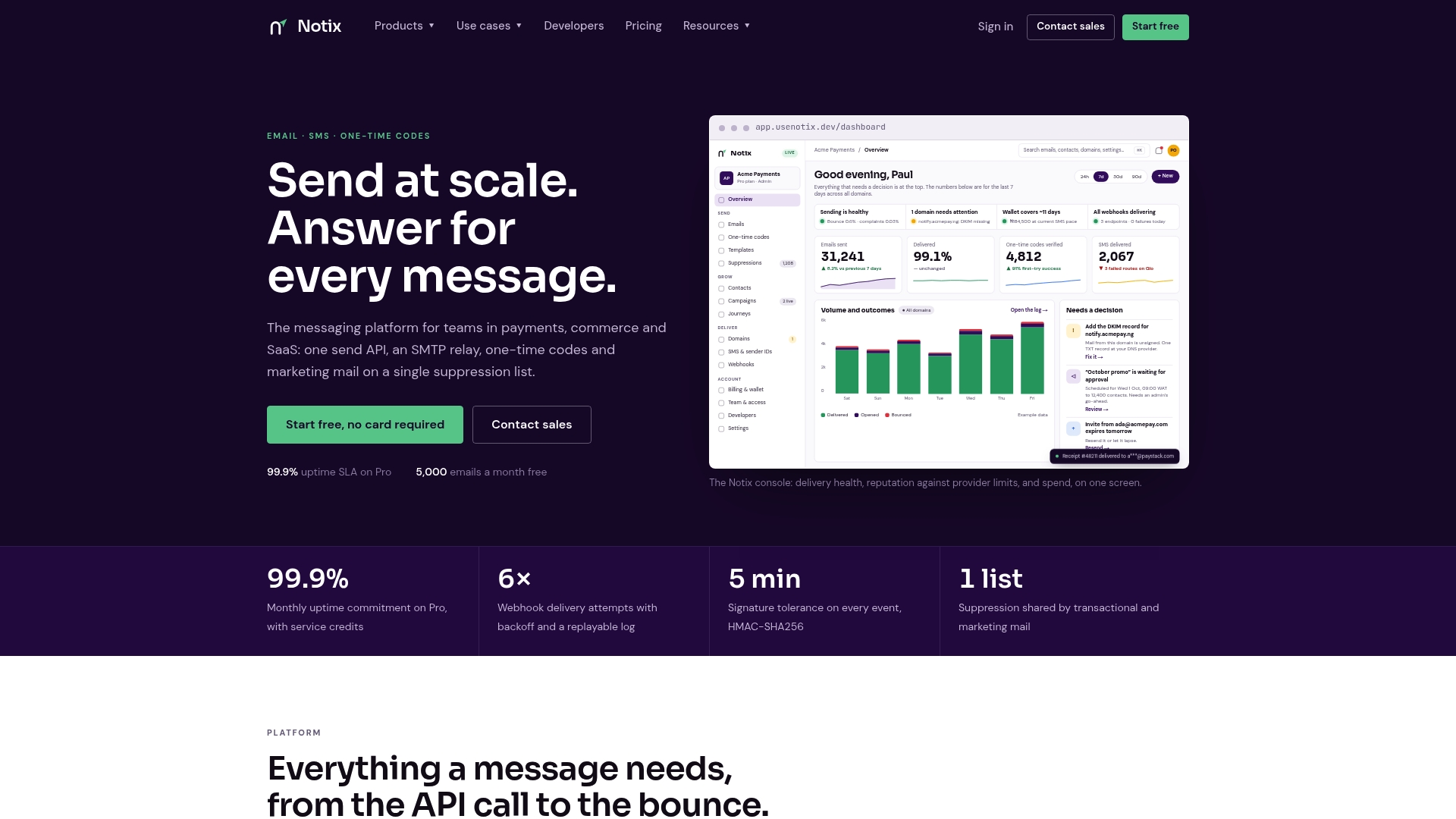
Notix publishes three plans: Free, which costs $0 per month and suits testing and low-volume projects; Pro, at $15 per month, built for teams with steady transactional and campaign volume; and Enterprise, with pricing available on request for teams needing custom volume commitments and support arrangements. Where many providers unbundle deliverability tooling, dedicated IP fees, and support into separate line items, Notix's transparent tiering is meant to keep the number on the pricing page close to the number on the invoice. If predictable billing and a single API for email, SMS, and one-time codes matter more to your team than chasing the lowest advertised per-1,000 rate, view the full pricing breakdown or start with the Email API to see how fast a working integration comes together.
Sources
The cost breakdowns and percentages in this article come from the following sources, useful if you want to rerun the math against your own volume:
- Amazon SES Pricing Official 2026: Full Cost Breakdown
- Email Marketing Pricing: How to Avoid Overpaying in 2026
FAQ
How much does it cost to use an email API?
Cost depends on volume and add-ons rather than a single flat number. Amazon SES, for instance, starts at $0.10 per 1,000 emails before dedicated IPs or deliverability tools are added, while Notix's Pro plan is listed at $15 per month.
How much is a 1,000-email list worth?
There's no standard dollar value for a list of that size since worth depends entirely on engagement, industry, and what you send. What's measurable is cost: a 1,000-contact list generally falls well within most providers' free or entry-level tiers.
Is there a free email API?
Yes, most providers including Notix offer a free tier meant for testing and low-volume use rather than production traffic at scale. Free plans typically cap sends in the low thousands per month and limit access to deliverability and support features.
How much does it cost to send 1,000 emails?
At Amazon SES's published base rate, 1,000 emails cost $0.10, but that figure excludes dedicated IPs, deliverability add-ons, and data transfer, which can raise the effective cost well beyond the base rate. The real number depends heavily on whether you need those extras at your volume.