
Email campaign management is the coordinated planning, execution, and measurement of email sends to hit specific business goals, from newsletter engagement to revenue. Three priorities come before anything else: a clear objective for every send, verified list quality, and a technical deliverability baseline (authentication, suppression, monitoring) that actually gets mail into the inbox. Skip any one of the three, and your open rates will lie to you while your sender reputation quietly erodes.
TL;DR:
- Authentication protocols like SPF, DKIM, and DMARC are essential for deliverability, but they do not guarantee inbox placement, which also depends on engagement.
- List hygiene requires ongoing verification, with inactive contacts suppressed after 90 to 180 days and spam complaints treated as permanent suppression to protect reputation.
- Segmentation based on engagement levels and behavior significantly affects inbox placement, with highly engaged contacts being safe for frequent sends and dormant contacts getting suppressed.
- Automations must be precisely configured with accurate triggers, conditions, and exit points, and tested in staging environments to prevent double-sending or missed recipients.
- Infrastructure setup, including consistent authentication, domain warm-up, and monitoring tools, is more critical than content polishing for successful large-scale email delivery.
Table of Contents
- What Are the Main Types of Email Campaigns?
- How Do You Plan and Structure an Email Campaign Workflow?
- Which Segmentation and Personalization Practices Protect Deliverability?
- What Content and Creative Choices Improve Email Engagement?
- How Do You Design Reliable Email Automation and Journeys?
- What Are the Deliverability and Authentication Essentials?
- How Often Should You Clean and Suppress Your Email List?
- Which KPIs Actually Prove Email Campaign Impact?
- What Should You Look for in Email Campaign Management Software?
- Pre-Send Checklist, Warm-Up Plan, and Re-Engagement Template
- What I've Learned Running Messaging Infrastructure
- How Notix Supports Reliable Email Campaign Management
- Sources
- FAQ
What Are the Main Types of Email Campaigns?
Not every email deserves the same treatment, and confusing them is the fastest way to tank deliverability or annoy the wrong audience. A promotional blast to your entire list behaves nothing like a password reset, and mailbox providers judge them by different rules.
- Newsletters: Recurring content sends judged on open rate, click rate, and unsubscribe trend over time. Weekly or biweekly cadence works for most B2B audiences.
- Promotional campaigns: Time-boxed offers judged on conversion rate and revenue per send, not just clicks. These carry the highest complaint risk, so frequency caps matter most here.
- Lifecycle and nurture sequences: Triggered by behavior (signup, cart abandonment, renewal date) and judged on progression through the journey, not single-send metrics.
- Transactional mail: Receipts, OTPs, password resets. These carry an implicit exemption from marketing consent rules in most jurisdictions but must never carry promotional content, or they lose that exemption.
One-off sends work for time-sensitive announcements. Automation and journeys make sense once you have a repeatable trigger, like a signup or an abandoned cart, that happens often enough to justify building the workflow.
How Do You Plan and Structure an Email Campaign Workflow?
A campaign calendar with named owners prevents the two most common failures: sending too often to the same segment, and sending with nobody checking the technical details first. Set a frequency cap per segment (most B2B lists tolerate 2 to 4 marketing emails weekly; consumer lists vary widely) and assign an owner to every calendar slot.
Four roles keep an email campaign workflow honest:
- Creator builds the content and audience logic.
- Approver reviews messaging, offer accuracy, and brand tone.
- Deliverability owner checks authentication status, suppression sync, and sending domain health.
- Operations confirms scheduling, list segmentation accuracy, and rollback plan if something breaks mid-send.
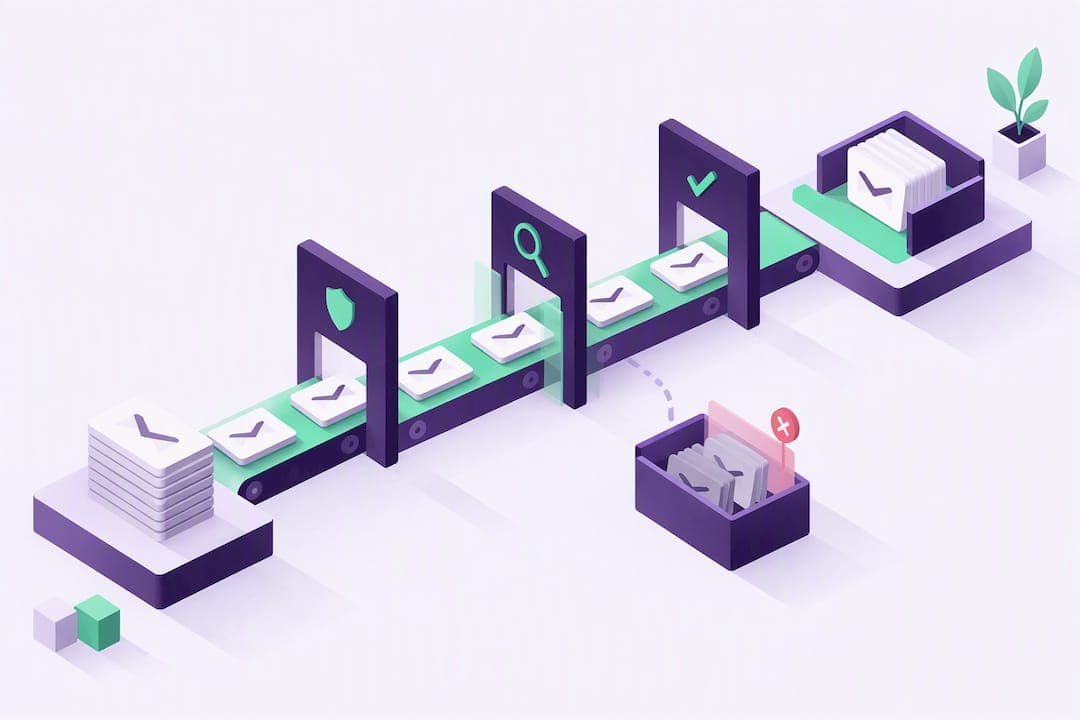
Before any campaign leaves the queue, run it through a pre-send gate:
- Confirm SPF, DKIM, and DMARC pass for the sending domain.
- Verify the suppression list synced within the last 24 hours.
- Send a seed-list test across major inbox providers.
- Check the segment size against your frequency cap for that audience.
- Confirm the unsubscribe link and List-Unsubscribe header both work.
Pro Tip: Log every pre-send gate check in a shared doc or ticket, even for "routine" sends. When deliverability drops two weeks later, you need to know exactly what changed and when, not guess.
Which Segmentation and Personalization Practices Protect Deliverability?
Segmentation decides who sees your email; deliverability decides whether anyone sees it at all. The two are more connected than most marketing teams treat them. Mailbox providers weigh recipient engagement and complaint rates heavily when deciding inbox placement, which means a poorly targeted send doesn't just underperform, it can drag down your sender reputation for every future campaign.
Engagement-tier segmentation is the foundation:
- Highly engaged (opened or clicked in the last 30 days): safe for your full send frequency and new product tests.
- Moderately engaged (30 to 90 days): reduce frequency, prioritize high-relevance content only.
- At-risk (90 to 180 days inactive): move to a re-engagement track before any promotional send.
- Dormant (180+ days): suppress from regular campaigns entirely.
Layer behavioral and lifecycle segments on top: purchase history, feature usage, signup source, and stage in a subscription cycle. A customer three months into a trial needs a different message than one who just signed up.
Personalization beyond a first name works when it's based on real behavior (browsing history, past purchase category, plan tier). It backfires when it's cosmetic. Skip merge-tag tricks that reference data you don't actually have current, like referencing a "last visit" that's six months stale. That reads as careless, not personal.
What Content and Creative Choices Improve Email Engagement?
Subject lines under 50 characters tend to render fully on mobile devices, where most email now gets opened first. Test two variants per send rather than five. Small samples dilute your statistical confidence fast, and most platforms need meaningful volume per variant to call a real winner.
- Keep subject lines specific and outcome-focused rather than vague or hype-driven.
- Build HTML mobile-first: single column, buttons at least 44 pixels tall, body text at 14px minimum.
- Write preview text that extends the subject line instead of repeating it or showing boilerplate.
- Place your primary call to action above the fold and repeat it once more near the bottom.
- Add alt text to every image; a chunk of inboxes block images by default, and screen readers depend on it.
Pro Tip: Send yourself the campaign on three device types before it goes live: a phone in dark mode, a phone in light mode, and a desktop client. Dark mode breaks more email designs than any other single factor teams overlook.
How Do You Design Reliable Email Automation and Journeys?
Every automated email campaign breaks down into four building blocks: a trigger, a set of conditions, an action, and an optional wait step. Get any one of them wrong and you either spam people or miss them entirely.
- Define the trigger precisely. "Cart abandoned" needs an exact time threshold (30 minutes, 2 hours) or the journey fires too early or never fires at all.
- Set entry conditions that exclude edge cases. A welcome series should exclude anyone already flagged as an existing customer under a different email.
- Build exit conditions as carefully as entry conditions. If someone converts mid-journey, they exit immediately, not after finishing the remaining steps.
- Cap frequency across overlapping journeys. A customer in both a nurture sequence and a re-engagement track should never get two emails in one day from your system.
- Deduplicate at the platform level, not per-journey, so overlapping automations can't double-send to the same contact.
- Test every automation in a staging environment first, using seed contacts that walk through the full trigger-to-exit path before it touches real recipients.
Automation failures rarely come from bad content. They come from a trigger firing twice, an exit condition that never checks, or a staging test that got skipped under deadline pressure. Treat QA on automations with the same seriousness as QA on code, because functionally, that's what it is.
What Are the Deliverability and Authentication Essentials?
Authentication is the entry fee, not the differentiator. Security researchers tracking Microsoft's bulk-sender enforcement note that SPF, DKIM, and DMARC are now baseline requirements, while trust earned through engagement and clean lists is what actually separates senders that land in the inbox from those that don't.
Deliverability Benchmark: Recent measurement puts visible inbox placement around 60% across senders, even among senders with authentication configured. Authentication gets you considered; it doesn't guarantee you land.
The three protocols work together and none substitutes for another:
- SPF lists which servers can send on behalf of your domain.
- DKIM cryptographically signs your messages so receivers can confirm they weren't altered in transit.
- DMARC tells receivers what to do when SPF or DKIM fails, and enforcement matters: a policy of
p=nonecollects reports but protects nothing, whilep=quarantineorp=rejectactively defends your domain from spoofing. A DMARC record set correctly with enforcement is strongly correlated with better inbox placement, according to deliverability benchmarking across B2B senders, which also finds a large share of domains still run without any DMARC enforcement at all.
A few more essentials round out the technical baseline.
- Implement List-Unsubscribe headers with one-click handling per RFC 8058, and honor unsubscribe requests within the provider's expected timeline, not your next batch job.
- Warm up new domains and IPs gradually rather than sending full volume on day one.
- Use a dedicated IP once you're sending consistent high volume; stay on shared IP ranges below that threshold, where reputation pooling can help small senders.
- Monitor Google Postmaster Tools and Microsoft SNDS weekly, not just when something breaks.
High-volume senders, above roughly 1 million emails monthly, face the steepest inbox placement penalties and often need domain rotation alongside strict authentication to preserve reputation at scale.
How Often Should You Clean and Suppress Your Email List?
List hygiene is not a one-time project. Verify your list at the campaign level for high-stakes sends, and run a full verification pass monthly for ongoing programs. Contacts inactive for 90 to 180 days need either a re-engagement attempt or permanent suppression, according to deliverability research on inactive-contact windows.
- Build one global suppression list checked by every send path, including transactional systems, since a promotional-flavored transactional email to a suppressed contact still damages reputation.
- Automatically suppress hard bounces immediately; never retry them.
- Flag soft bounces after three consecutive failures and suppress if unresolved.
- Route spam complaints straight to permanent suppression, no exceptions, no manual override.
- Re-verify purchased or imported lists before their first send, not after.
A global suppression list consulted at send time by every messaging path, marketing and transactional alike, is arguably the single highest-leverage control in the entire stack.
Which KPIs Actually Prove Email Campaign Impact?
Open rate tells you almost nothing on its own anymore, given how much iOS Mail Privacy Protection and similar features distort it. Track these instead:
- Inbox placement rate, not just delivery rate, since delivered and placed in spam both count as "delivered" on most dashboards.
- Conversion rate and revenue per send, tied back through your CRM rather than trusted from platform-reported numbers alone.
- Complaint rate, with a target under 0.3%, since most mailbox providers start throttling senders who cross that line consistently.
- Bounce rate trend, watched weekly, since a sudden spike usually signals a list hygiene problem, not bad luck.
Threshold to watch: A complaint rate creeping toward 0.3% is your earliest warning sign, often weeks before inbox placement visibly drops.
Multi-touch attribution beats last-click for anything with a nurture sequence longer than two emails, since last-click hands all the credit to whichever email happened to land right before conversion.
What Should You Look for in Email Campaign Management Software?
Pick infrastructure based on what your team will actually need at your next volume tier, not just your current one. The core checklist:
- API and SMTP support, so developers aren't locked into one integration method.
- A visual automation builder that handles triggers, wait steps, and exit conditions without custom code for every journey.
- Built-in suppression management shared across marketing and transactional sends.
- Authentication tooling that makes SPF, DKIM, and DMARC setup straightforward rather than a manual DNS project.
- Event webhooks for opens, clicks, bounces, and complaints, so your CRM and analytics stay in sync in near real time.
- Clear SLAs and a scaling model that doesn't require a full re-platform at 10x your current volume.
On pricing, per-contact models punish list growth even when engagement stays flat, while per-send or API-first pricing scales more predictably with actual usage, which matters most for transactional-heavy teams.
Pre-Send Checklist, Warm-Up Plan, and Re-Engagement Template
Run this before every campaign: confirm authentication passes, check suppression sync, seed-test for spam scoring, and confirm the segment matches your intended engagement tier.
- Weeks 1 to 2: Send low volume (a few hundred daily) to your most engaged contacts only.
- Weeks 3 to 4: Double volume weekly if complaint rate stays low and engagement holds.
- Weeks 5 to 8: Ramp to full volume, adding new segments gradually rather than all at once.
A simple three-email re-engagement sequence: email one offers a genuine incentive to return; email two asks directly whether they still want these emails; email three states that no response means suppression. Suppress automatically after email three goes unanswered.
Pro Tip: Never skip the warm-up plan just because a new domain "feels fine" in testing. Reputation problems from rushed warm-ups often don't show up for two to three weeks, by which point you're troubleshooting blind.

What I've Learned Running Messaging Infrastructure
Most teams overinvest in content polish and underinvest in the plumbing underneath it. A gorgeous email that lands in spam accomplishes nothing. Infrastructure deserves priority whenever you're scaling volume or launching a new domain; once deliverability is stable, shift that energy into segmentation and content. Treat deliverability as an ongoing discipline, not a setup task you finish once and forget.
— Paul
How Notix Supports Reliable Email Campaign Management
Usenotix is built for teams that need email and SMS sending, suppression, and campaign controls working together instead of stitched across three tools. You get a single API for both channels, double opt-in for contacts, and automated suppression that applies across marketing and transactional sends, so a suppressed contact stays suppressed everywhere.
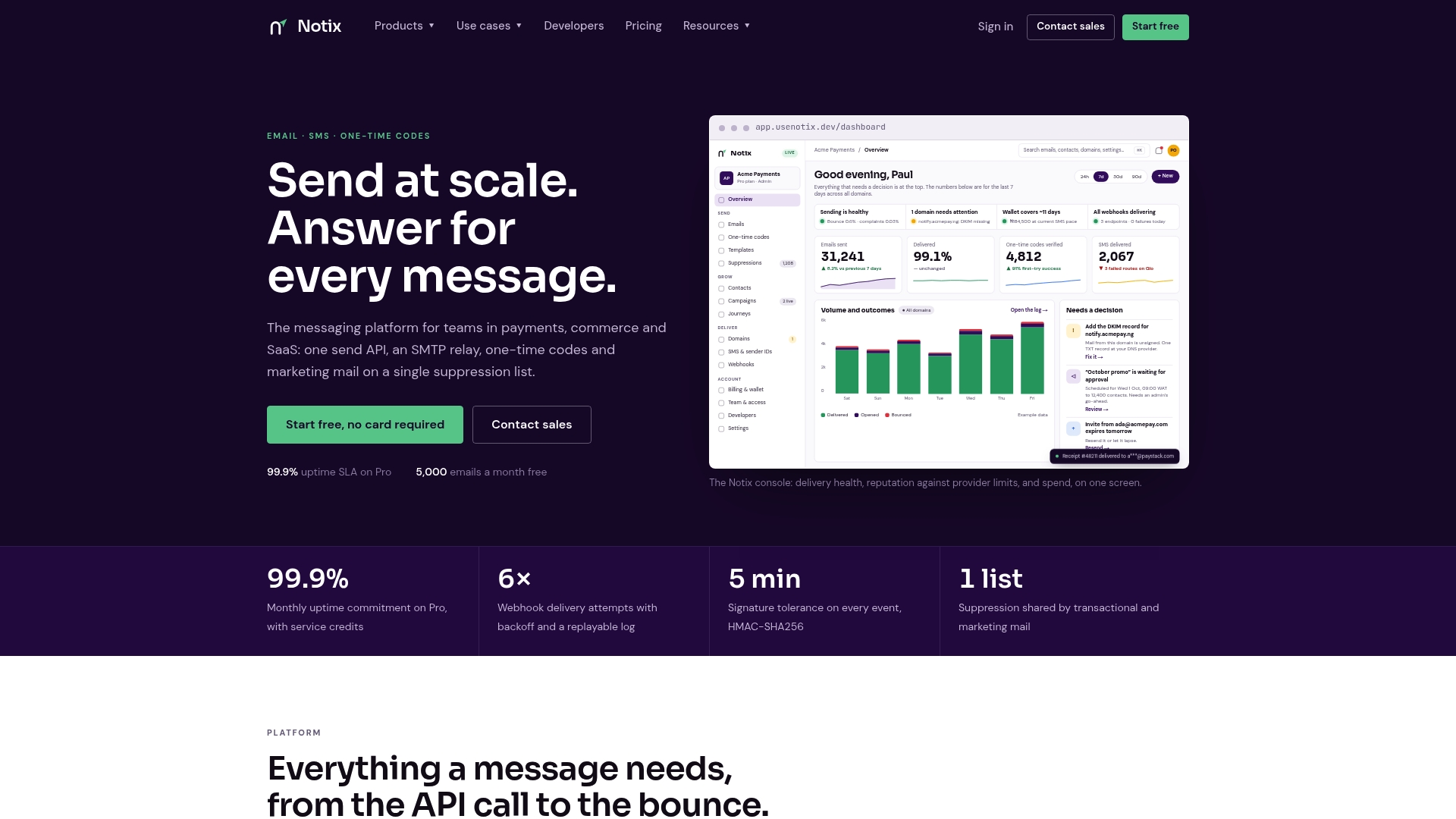
The Free plan costs $0 per month for teams testing their setup, and the Pro plan runs $15 per month once you're sending at production volume. Enterprise pricing is available on request for high-volume senders, with custom terms.
If you're weighing an Email API against an SMTP relay, Notix supports both from the same account, so you're not locked into one integration path before you know your actual volume. Check the pricing page and start with the free tier to see how suppression and deliverability tooling fit your current stack.

Sources
These reports and technical references shaped the deliverability guidance above: the Unspam.email 2025 Deliverability Benchmark Report, B2B Email Deliverability Benchmarks 2025, the Blazalek covering RFC 8058 and suppression practice, and Proofpoint's analysis of Microsoft's bulk-sender enforcement.
- Unspam
- B2B Email Deliverability Benchmarks 2025
- Microsoft's enforcing bulk-sender requirements — Proofpoint blog
FAQ
What Is Email Campaign Management?
Email campaign management is the process of planning, executing, and measuring email sends to hit specific business goals, from newsletter engagement to direct revenue. It covers everything from list segmentation and content creation to deliverability monitoring and performance tracking after the send goes out.
What Does an Email Campaign Manager Do?
An email campaign manager builds the campaign calendar, oversees segmentation and personalization rules, and coordinates with a deliverability owner to keep authentication and suppression lists current. They also own performance reporting, tying opens and clicks back to actual conversions or revenue through the CRM.
What Are the 4 P's of Email Marketing?
Definitions vary across marketing frameworks, but a common version applies the classic marketing mix to email: Personalization (relevant content per segment), Permission (consent-based sending), Placement (getting into the inbox, not spam), and Performance (measuring conversion and revenue impact). Treat it as a mental checklist rather than a rigid formula.
How Do You Organize an Email Campaign?
Start with a single objective and the segment that objective applies to, then build a campaign calendar with a frequency cap and a named owner for the send. Run every campaign through a pre-send gate that checks authentication, suppression sync, and a seed-list test before it reaches your full audience.
How Does Platform Choice Affect Campaign Management?
An API-first platform like Usenotix lets developers control sending logic directly while still giving marketing teams campaign tools and suppression management in the same account. That combination matters most for teams handling both transactional messages (receipts, one-time codes) and marketing campaigns from a single sending domain.